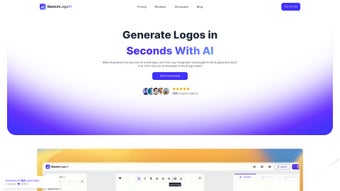

Download Sketch Logo AI – AI‑Powered Logo Design Tool
Overview
Sketch Logo AI is a cloud‑native, AI‑driven platform that turns hand‑drawn sketches or simple image uploads into fully finished, high‑definition logos in seconds. By leveraging state‑of‑the‑art generative models, the service analyses line work, shapes, and composition to suggest a range of vector‑ready SVG concepts that can be instantly refined. In addition to 2‑D logo creation, the tool offers an optional 3‑D conversion engine, allowing designers to add depth, lighting, and perspective with a single click—perfect for product mock‑ups, presentations, or social media animations.
The platform also includes a text‑prompt redesign feature: users can type a brief description such as “minimalist teal badge with rounded corners,” and the AI will reinterpret the original concept accordingly. Beyond logos, Sketch Logo AI doubles as a lightweight marketing art generator, producing banners, social media posts, and ad creatives from the same assets, which helps keep brand visual language consistent across channels. Subscription tiers are flexible, ranging from a free trial with limited renders to a Pro plan that unlocks unlimited SVG exports and advanced 3‑D options.
While the service requires an initial sketch or image as a seed, it eliminates the need for expensive desktop software, making professional branding accessible to freelancers, startups, and small teams. Security is baked in through end‑to‑end encryption, and all data is stored in GDPR‑compliant servers that automatically purge unused files after 30 days. Overall, Sketch Logo AI delivers a fast, secure, and cost‑effective workflow that bridges the gap between raw creative ideas and market‑ready brand assets.
Key Features & Installation Guide
Feature List
- AI‑powered sketch‑to‑logo conversion using generative deep‑learning models.
- One‑click 3‑D transformation for dynamic visual presentations.
- Text‑prompt redesign engine that adapts style, color, and composition.
- High‑definition SVG export for scalable branding assets.
- Marketing art generator that creates banners, social media posts, and ads from uploaded images.
- Secure cloud processing with end‑to‑end encryption and GDPR compliance.
- Multiple subscription tiers, including a free trial, Pro, and Enterprise plans.
- Built‑in version history and collaborative workspace for team projects.
- Mobile‑optimized canvas for on‑the‑go sketching using touch or stylus input.
- Integration hooks for Adobe Illustrator, Figma, Sketch, and other vector editors.
How to Install and Start Using Sketch Logo AI
Because Sketch Logo AI runs entirely in the browser, there is no traditional software download or installation required on Windows, macOS, Android, or iOS. Follow these steps to begin creating logos instantly:
- Create an account: Visit the official website, click “Sign Up,” and register using an email address or a single‑sign‑on option (Google, Apple, or Microsoft). A verification email confirms your identity.
- Select a subscription plan: Choose between the Free trial (limited daily renders), Pro (unlimited renders, SVG export, 3‑D conversion), or Enterprise (team seats, priority support, API access).
- Upload your sketch or image: From the dashboard, click “New Project,” then drag‑and‑drop a hand‑drawn JPEG, PNG, PDF, or use the built‑in canvas to draw directly with a mouse, trackpad, or stylus.
- Set AI parameters: Pick a style preset (minimalist, vintage, tech‑savvy, etc.) or type a custom prompt describing the desired look. Adjust sliders for color palette, line weight, and 3‑D depth to fine‑tune the output.
- Generate concepts: Hit “Render.” Within seconds, the AI produces 4‑8 logo variations. Use the side‑by‑side comparison view to evaluate composition, spacing, and visual balance.
- Refine your favorite: Select a concept and open the inline editor. You can tweak typography, adjust vector points, swap colors, or add additional elements without leaving the browser.
- Export assets: Once satisfied, click “Download.” Options include SVG (vector), PNG (transparent raster), JPEG, or GLB/MP4 for animated 3‑D previews. All files are stored securely in your cloud library for future retrieval.
- Leverage marketing tools: Use the “Create Marketing Art” button to auto‑generate banners, social media graphics, or email headers that incorporate your new logo, ensuring brand consistency across campaigns.
The entire workflow is device‑agnostic; you can start a project on a desktop, continue editing on a tablet, and finalize on a smartphone—all without installing additional plugins. This flexibility makes Sketch Logo AI especially valuable for freelancers who move between client sites and remote work environments.
Compatibility, Pros & Cons
Operating System Compatibility
Sketch Logo AI is built as a progressive web application, meaning it runs on any modern browser that supports WebGL and HTML5. Tested browsers include Chrome, Firefox, Safari, and Edge on Windows 10/11, macOS Ventura and later, as well as popular Linux distributions (Ubuntu, Fedora, etc.). Mobile support extends to Android 12+ (Chrome, Firefox) and iOS 14+ (Safari, Chrome). Because all processing occurs on remote servers, the client device only needs a stable internet connection and a recent graphics driver to render 3‑D previews smoothly. No additional runtime environments, such as Java or .NET, are required, and the platform automatically scales to high‑resolution (Retina, 4K) displays for crisp vector rendering.
Pros
- Speed: Generates polished logo concepts in under a minute, dramatically reducing design turnaround.
- Creativity boost: AI‑driven suggestions inspire fresh directions that may not emerge in manual sketching.
- Scalability: SVG exports retain perfect clarity at any size, from favicons to billboards.
- Versatility: Built‑in 3‑D conversion and marketing art generation expand the tool beyond simple logos.
- Cross‑platform access: Works on desktop and mobile browsers without installation.
- Collaboration: Real‑time version history and team workspaces streamline feedback loops.
- Security: End‑to‑end encryption and GDPR‑compliant data handling protect intellectual property.
Cons
- Requires an initial sketch or image; purely text‑based logo generation is not supported.
- Font library is limited compared to dedicated typography tools, which may require external editing for brand‑specific typefaces.
- High‑resolution SVG export is restricted to the paid Pro and Enterprise tiers.
- Complex brand guidelines (multi‑color palettes, extensive style rules) often need manual refinement after AI output.
- Constant internet connection is mandatory; offline work is not possible.
- Advanced 3‑D rendering consumes more server resources, which can result in slightly longer render times on lower‑end connections.
Overall Rating: 4.5/5 – Sketch Logo AI delivers fast, high‑quality logo concepts that empower both novices and seasoned designers, while its subscription model keeps the cost predictable.
FAQ & Conclusion
Frequently Asked Questions
-
Can I use Sketch Logo AI without any design experience?
Yes. The AI guides you through the process with style presets, clear prompts, and an intuitive editor, so even beginners can produce professional‑grade logos quickly.
-
What file formats are available for export?
You can download logos as SVG (vector), PNG (transparent raster), JPEG, and for 3‑D outputs, GLB or MP4 files for animation.
-
Is my data secure when I upload sketches?
All uploads are encrypted in transit and at rest. Sketch Logo AI adheres to GDPR and CCPA standards, and files are automatically deleted after 30 days unless saved to your account.
-
Do I need a powerful computer to run the tool?
No. Because processing occurs on Sketch Logo AI’s servers, any device that can run a modern browser is sufficient.
-
Can I integrate Sketch Logo AI with my existing design workflow?
Absolutely. Exported SVG files can be imported into Adobe Illustrator, Figma, Sketch, or any vector‑editing software for further refinement.
-
Is there a free trial available?
Yes. New users receive a 7‑day free trial that includes up to 10 logo renders and basic SVG export, allowing you to evaluate the platform before committing.
Conclusion & Call to Action
Sketch Logo AI bridges the gap between raw creativity and polished brand identity by turning hand‑drawn ideas into market‑ready logos in minutes. Its AI‑driven workflow, one‑click 3‑D conversion, and built‑in marketing art generator make it a compelling choice for freelancers, startups, and design teams that value speed without sacrificing quality. While the limited font selection and reliance on an initial sketch may be minor drawbacks, the overall value—especially the flexible subscription options and robust security—far outweighs these concerns.
Ready to accelerate your branding process? Download Sketch Logo AI today, start a free trial, and experience the future of logo design. Transform your concepts into iconic visuals faster than ever before.



.png)



